 HandyArchive
Visitor ID Card Gate Pass Maker Software
Visitor ID Card Gate Pass Management 8.5.3.2
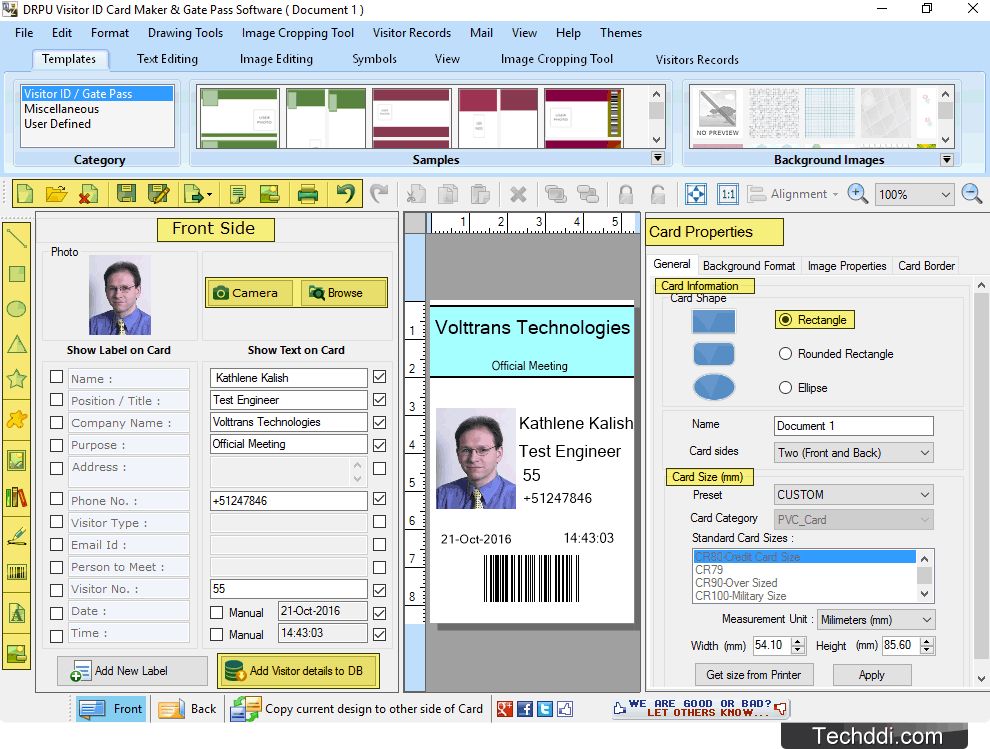
Visitor ID Card Gate Pass Management Software is useful to design and print visitors ID cards or gate pass with different size, shapes, color, background and using various drawing tools including Line, Text, Ellipse, Rectangle, tar, Triangle, Symbol, Barcode, Picture, Image Library, Signature and Watermark. Visitor gate pass software is beneficial for various organizations such as Schools, Colleges, Universities, Healthcare, IT Companies, Financial Sectors and other corporate sectors. Visitor ID card maker software provides facility to save all visitor details to database for future reference. Software facilitates to manage all visitor records and allows user to easily search specific visitor information according to Name, Visitor Unique ID, Company Name, Email, Phone Numbers, Address, Date Range and other attributes. Gate pass management software provides option to add photo by taking using camera or by browsing images path from computer while designing visitor ID cards.
Software Features:
1. Provide simple and highly interactive graphical user interface easy to use.
2. Crop single or multiple images for ID cards using Image Cropping Tool.
3. Facilitate to start new ID card format or existing ID card format.
4. Advance Email feature to send designed Visitor ID card at specified email address whenever requirement.
5. Provide option to copy current ID card design to other side of ID card.
6. Design visitor ID card with single side or double side (Front and Back side) as per requirement.
7. Save designed ID card log file (in .idd file format) for future reference.
8. Facilitate to export created ID card as Image (JPEG, PNG, GIF, BMP and TIFF), as Template or as PDF file format.
9. Provide advance printing settings to print designed ID card using different types of printers.
10. Software is compatible with all latest versions of Windows OS like XP/Vista/7/8/10.
Software Features:
1. Provide simple and highly interactive graphical user interface easy to use.
2. Crop single or multiple images for ID cards using Image Cropping Tool.
3. Facilitate to start new ID card format or existing ID card format.
4. Advance Email feature to send designed Visitor ID card at specified email address whenever requirement.
5. Provide option to copy current ID card design to other side of ID card.
6. Design visitor ID card with single side or double side (Front and Back side) as per requirement.
7. Save designed ID card log file (in .idd file format) for future reference.
8. Facilitate to export created ID card as Image (JPEG, PNG, GIF, BMP and TIFF), as Template or as PDF file format.
9. Provide advance printing settings to print designed ID card using different types of printers.
10. Software is compatible with all latest versions of Windows OS like XP/Vista/7/8/10.