 HandyArchive
Software that Appends Missing Email Addresses
EGrabber LeadResearcher Standard 2009
eGrabber LeadResearcher Standard enables you to:
1. Append Business Email
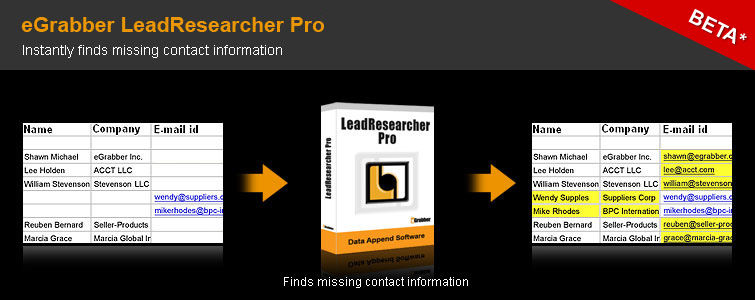
LeadResearcher helps you in finding the missing e-mail address for a contact. Just type in the Contact Name & Company Name and click on "Find e-mail". LeadResearcher automatically searches the Internet and finds e-mail address that is related to that contact.
2. Append Email/Phone for contact(s) found on Social networking sites
After finding a person's name and company from Social Networking Sites, LeadResearcher can instantly get the rest of the person's contact information, including their e-mail address and phone number. Just type in the Contact Name & Company Name and click on "Find All". LeadResearcher intelligently searches the Internet and displays the e-mail address, and phone number for that contact
3. Reverse Email Look-up.
With just the e-mail address, LeadResearcher can find the Name, Company, Phone Numbers, Address, and Profiles of a person. No more need to send mass emails addressing them "To Whom it May Concern." Just type in the e-mail address and click on "Reverse E-mail Lookup", LeadResearcher intelligently searches the internet and displays the Name, Company, Phone numbers, Address, and Profiles of a person.
4. Find the e-mail Ids for all employees in a company
LeadResearcher helps you to find all the possible email addresses of employees working in a given company. Input a Company's Name and click on "Find e-mail Ids of a Company" button. LeadResearcher will list all the E-mail addresses of employees in that Company that are available across the internet.
Who can use LeadResearcher?
Sales and Recruiting Professionals: LeadResearcher is the perfect tool for sales and recruiting professionals because it quickly provides them with the information they need to successfully contact their leads.
1. Append Business Email
LeadResearcher helps you in finding the missing e-mail address for a contact. Just type in the Contact Name & Company Name and click on "Find e-mail". LeadResearcher automatically searches the Internet and finds e-mail address that is related to that contact.
2. Append Email/Phone for contact(s) found on Social networking sites
After finding a person's name and company from Social Networking Sites, LeadResearcher can instantly get the rest of the person's contact information, including their e-mail address and phone number. Just type in the Contact Name & Company Name and click on "Find All". LeadResearcher intelligently searches the Internet and displays the e-mail address, and phone number for that contact
3. Reverse Email Look-up.
With just the e-mail address, LeadResearcher can find the Name, Company, Phone Numbers, Address, and Profiles of a person. No more need to send mass emails addressing them "To Whom it May Concern." Just type in the e-mail address and click on "Reverse E-mail Lookup", LeadResearcher intelligently searches the internet and displays the Name, Company, Phone numbers, Address, and Profiles of a person.
4. Find the e-mail Ids for all employees in a company
LeadResearcher helps you to find all the possible email addresses of employees working in a given company. Input a Company's Name and click on "Find e-mail Ids of a Company" button. LeadResearcher will list all the E-mail addresses of employees in that Company that are available across the internet.
Who can use LeadResearcher?
Sales and Recruiting Professionals: LeadResearcher is the perfect tool for sales and recruiting professionals because it quickly provides them with the information they need to successfully contact their leads.