 HandyArchive
Blu-ray Copy - Copy Blu-ray to disc / folder
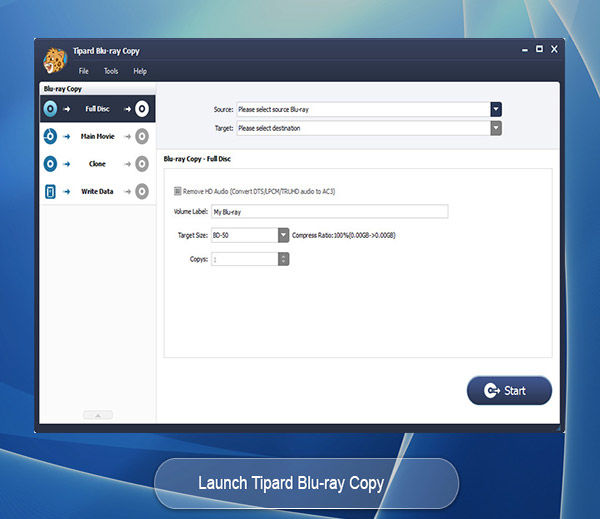
Tipard Blu-ray Copy 7.1.96
What can this powerful Blu-ray copying application do for you? It enables you to make 100% ratio copy of your Blu-ray disc, and import Blu-ray folder and ISO image file to a blank Blu-ray disc for backup without quality loss. In addition, it supports 3D Blu-ray disc as well as 2D Blu-ray.
Key Features
1. Copy Blu-ray disc to Blu-ray disc
This excellent Blu-ray copying software provides its ability to decrypt and clone Blu-ray disc to BD disc. Besides, it enables you to back up Blu-ray folder and ISO file to blank Blu-ray disc without any video quality loss.
2. Clone Blu-ray disc to Blu-ray folder / ISO files
You can use the Blu-ray copying tool to copy Blu-ray disc to hard drive on your PC as Blu-ray folder or ISO image files. Apart from backing up Blu-ray disc, you are able to clone Blu-ray folder to Blu-ray ISO image files and copy Blu-ray write date to Blu-ray folder / ISO image files.
3. Four copy modes to customize Blu-ray content
Four copying options are offered to copy Blu-ray content. With 'Full disc', you can get a full backup of Blu-ray disc / folder / ISO files; choose 'Main movie', you can clone main part or any title or chapter of a movie; and you can either choose 'Clone' to make an induplicate of Blu-ray disc and ISO file, or use 'Write Date' mode to copy the original Blu-ray folder.
4. Preview Blu-ray and remove HD audio
When you want to copy main movie to BD folder / ISO file, the Blu-ray Copy allows you to preview any chapter or title. When you use it to rip 2D / 3D Blu-ray disc to BD folder / ISO files, you can convert DTS audio to AC3 to save more storage space.
5. Rename Blu-ray disc with volume label
Many humanized settings are designed in this Blu-ray copying software, and you can handily rename the output Blu-ray or ISO file with the volume label.