 HandyArchive
Import vCards into Outlook 2010
Import vCards into Outlook 2010 3.7
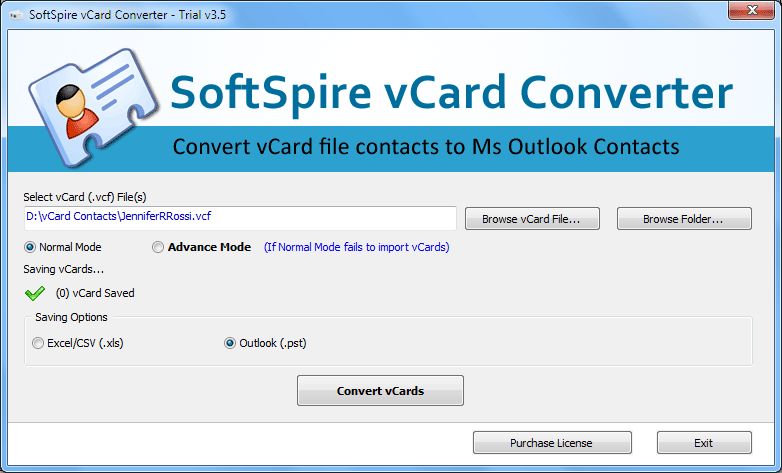
Download and Give a try to SoftSpire vCard Converter to import vCards into Outlook 2010, 2007, 2003 in easy steps. Import option of Microsoft Outlook is also one way of importing VCF file into Outlook but its not time efficient as it allows single VCF file import at a time. vCard Converter successfully imports vCards into Outlook 2010. Import vCards into Outlook 2010 and save your valuable time with the use of vCard Converter.
- Import vCards into Outlook 2010 in Batch or Bulk Mode.
- Save images & photos from vCards into Outlook.
- Creates new PST file for all contacts from vCards
- Import vCards into Outlook with restoring original details from vCards into Outlook like Name, Formatted Name, Delivery Address, Email, Telephone, Images & Photos, Website etc.
- Compatible with all Windows 7, Vista, XP.
- Software to import vCards into Outlook 2010 will allow users to transfer single as well as multiple VCF files to Outlook.
Know more about how to import multiple vCards into Outlook 2010 @ http://www.vcardtooutlook.com/import-vcards-into-outlook-2010.html
- Import vCards into Outlook 2010 in Batch or Bulk Mode.
- Save images & photos from vCards into Outlook.
- Creates new PST file for all contacts from vCards
- Import vCards into Outlook with restoring original details from vCards into Outlook like Name, Formatted Name, Delivery Address, Email, Telephone, Images & Photos, Website etc.
- Compatible with all Windows 7, Vista, XP.
- Software to import vCards into Outlook 2010 will allow users to transfer single as well as multiple VCF files to Outlook.
Know more about how to import multiple vCards into Outlook 2010 @ http://www.vcardtooutlook.com/import-vcards-into-outlook-2010.html