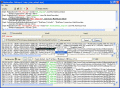
The program allows a user to create a file of frequently used phrases, paragraphs, e-mail addresses, macros, clipboard entries, scripts, etc. and use them in any application just by typing a short abbreviation (text shortcut) or pressing a hotkey.
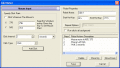
Mouse Clicker to Click Mouse Automatically. Start/Stop Mouse Clicking with a configurable Keyboard Shortcut, or at a scheduled time. Download Mouse Clicker to keep your mouse clicking untill you stop it or for configurable number of clicks.
Mouse Clicker to Click Mouse Automatically, and auto typer to automate keyboard input. Start/Stop Mouse Clicking with a configurable Keyboard Shortcut, or at a scheduled time.
The program allows a user to create a file of frequently used phrases, paragraphs, e-mail addresses, macros, clipboard entries, scripts, etc. and use them in any application just by typing a short abbreviation (text shortcut) or pressing a hotkey.
Hot Shortcuts is a free application that will help you create keyboard shortcuts for your favorite applications and documents. Creating keyboard shortcuts will save your desktop space and remove unnecessary icons for most used applications.
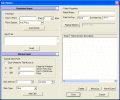
Download screenshot capture free trial software to capture selected screen portion just by pressing shortcut keys (default Ctrl + Q). Screen capture tool is fast and affordable tool to create picture of selected rectangular area & active window.
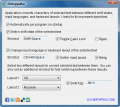
Using Ochepyatka you can convert text between different keyboard layouts within a second! Just select an incorrect text fragment and press appropriate keyboard shortcut - the program will make some magic and fix your text immediately!
The program allows a user to create a file of frequently used phrases, paragraphs, e-mail addresses, macros, clipboard entries, scripts, etc. and use them in any application just by typing a short abbreviation (text shortcut) or pressing a hotkey.
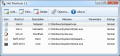
PMW is highly customizable software and let you perform following operations on any application with 2 clicks or shortcut.
Kill, Change/Remember Priority, Always on Top,Minimize to tray, Hide, Hide others.
For more Info : http://bit.ly/fyxTj
 HandyArchive