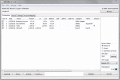
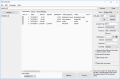
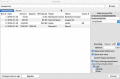
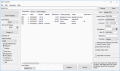
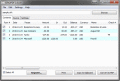
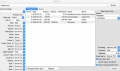
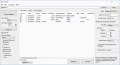
Quicken does not want your QBO file? Convert to QIF and import under Quicken easily! Bank, credit card and investment transactions are supported under Quicken for Mac 2007. QBO preview is included.
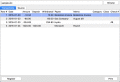
Finally the solution to convert your transaction files into a readable format ready to archive or print. Convert OFX to PDF and open in any PDF viewer. Review transactions in a readable view before converting.
Quicken does not want your QFX file and reports some strange error? Convert to QIF and import under Quicken easily! Bank, credit card and investment transactions are supported under Quicken for Mac 2007. QBO preview is included.
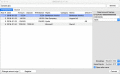
Easy to use secure solution to review/convert your transactions and import into your accounting software. Convert OFX to QFX and import into Quicken, (PC/Mac). Review transactions in a readable view before converting.
Easy to use secure solution to review/convert your transactions and import into your accounting software. Convert OFX to QFX and import into Quicken, (PC/Mac). Review transactions in a readable view before converting.
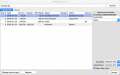
Easy to use secure solution to review/convert your transactions and import into your accounting software. Convert CSV to OFX and import into MS Money, Sage One, Xero, YNAB, AccountEdge, Bankivity, Ace Money. Create importable OFX files.
OFX2PDF is an useful utility to convert your OFX files to PDF format. Simply browse for your file, review transactions, select all or less and save it.
Easy to use secure solution to review/convert your transactions and import into your accounting software. Convert CSV to OFX and import into MS Money, Sage One, Xero, YNAB, AccountEdge, Bankivity, Ace Money. Create importable OFX files.
Easy to use secure solution to review/convert your transactions and import into your accounting software. Convert CSV to QIF and import into Quicken, Quicken 2007 Mac, LessAccounting, YNAB, NetSuite, MYOB, AceMoney.
 HandyArchive