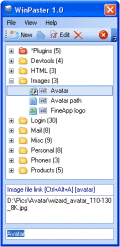
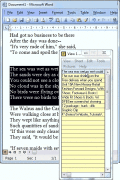
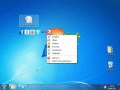
WinPaster загружается в трей и может быть вызван в любой момент нажатием горячих клавиш либо щелчком на иконке. Нужные данные для вставки можно выбрать из подготовленного списка записей. Другой способ вставки - горячие клавиши или ключевая строка.
Copywhiz enhances your file copy experience in Windows. It offers more flexibility when copying files by letting you choose which type of files to copy & which to ignore. Plus it lets you collect files from multiple folders and paste them at once.
Using Advanced Clipboard, you can cut or copy information from program and store it in an individual Clipboard (up to 15), without erase of the basic Clipboard. Then you can paste the information from the any individual Clipboard into any program
Надежный профессиональный менеджер буфера обмена. Вам больше не нужно беспокоиться, что скопировав одну вещь, вы сотрете другую! Содержание буфера обмена останется целым даже в случае перебоев с электричеством или краха системы.
Copypocket is a different kind of clipboard tool. It is smart, easy to use and designed for those of us who need a clipboard extender but don't have the time to configure 8000 options. There is nothing like copypocket!
Clip Notes, has many word precessing features plus an auto-paste feature highlighted by a screen capture aspect that allows you to take snapshots of parts of your screen, it automatically embeds the created images into your document.
The Ace Clipboard floats on top of your current work. Whenever you cut or copy, the clip appears in Ace. To paste back a clip, all you have to do is click on the one you want.
Click.to, the true copy & paste turns everything on your desktop into hyperlinks, detours between applications can be skipped. Whether you need text added to an e-mail, pictures published on Facebook or a foreign word search in Wikipedia, click.to do
 HandyArchive