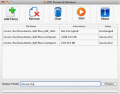
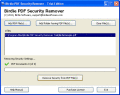
If you see the message like we??™re sorry, the author of this document has set permissions that don??™t allow the content to be re-used in other applications; it means pdf is secured with password which can be removed by AWinware pdf security remover.
Now use the password breaker of PDF file to remove owner password from PDF, so that you can extract PDF content from a secured PDF file. Our password remover of PDF file is also known with another name i.e. PDF Security Remover.
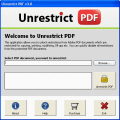
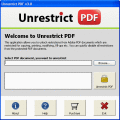
With help from Unrestrict PDF you can easily Change PDF Security Restrictions. PDF Unlocker helps its users to change PDF security restrictions like: copy, modify and print. Smart and efficient PDF Security Remover is useful to Remove PDF Security.Wi
PDF Password Locker & Remover is designed to help users to protect their PDF files and content anti-copying. It also enables users to remove the password of encrypted PDF files.
Unlock PDF Protection is one of the efficient PDF protection remover tool, to allow users to unlock pdf protection of copying, printing, editing, modifyin, saving PDF files. Now users can unlock PDF protection & unlock pdf permissions in one go.
Unable to print your office pdf documents due to restriction applied by the author of pdf document? Don??™t panic, if you have permissions, try our pdf security remover software and quickly remove owner password to print copy & edit pdf.
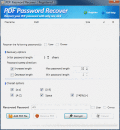
PDF Password Recover provides you the solution of PDF Password Recovery. You can recover and reset the password for PDF documents via the ever easy-to-use application
Do you have locked pdf files protected with owner password? Try pdf restrictions remover application to unlock pdf editing, printing, and content copying restrictions. In fact, you can remove pdf user password if known from batch pdf files.
 HandyArchive