Со временем у вас накопилось много программ в меню "Пуск", и каждый раз для запуска нужной программы вам нужно тратить время на поиски? Программа "Аккуратное Меню Пуск" поможет вам навести порядок в меню и сделать работу комфортной!
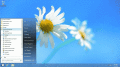
Кнопка Пуск для Windows 8 содержит кнопку пуск и удобное меню. Эту программу можно установить на любую версию Windows. Кнопка Пуск 8 не изменяет системные файлы, легко может быть отключена без перезагрузки системы. Поддерживает Тачскрины.
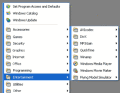
Taskbar Classic Start Menu добавляет в область уведомлений значок. Путём нажатия на этот значок, вы можете вызвать всплывающее меню, аналогичное меню "Пуск" Windows 2000 и Me.
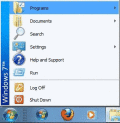
CSMenu маленькая программа которая поможет вам использовать classic start menu которое было в предыдущих версиях системы до выхода Windows7. В отличии от Висты, Windows 7 не имеет возможности включить классическое меню.
Portable Start Menu is a simple start menu application that can be installed on USB sticks or local PCs. Programs can be launched via a tray icon. If you close Portable Start Menu on an USB-Stick, running applications can be closed automatically, too
JetStart lets you launch Start Menu shortcuts faster and easier then ever. No more digging into crowded Start Menu! And best of all, it's completely free!
The Super Start Menu places a small unobtrusive button in the taskbar to activate the menu. There are shortcuts on the right to access the Users Profile Folder, Documents, Computer, Control Panel, Printers and Software.
RetroUI customizes Windows 8: adds a start menu, makes Windows Store (metro) apps run in a resizable window with a [X] button on the desktop, brings the taskbar and start menu into the new Start screen, removes hot corners, and much more.
RetroUI customizes Windows 8: adds a start menu, makes Windows Store (metro) apps run in a resizable window with a [X] button on the desktop, brings the taskbar and start menu into the new Start screen, removes hot corners, and much more.
 HandyArchive