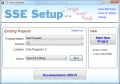
SSE Setup is a free, easy to use, install creator ( setup builder ) to make installers for your software. Unlike many installer products out there, it's full-featured, trusted, mature, and incredibly easy! Makes small EXE's/ZIP's or burn to CD/DVD.
MaxTo is a window manager that allows you to define screen regions that windows automatically maximize to, for pixel-perfect window arrangements. Make the most of your screen estate. Quickly move windows using hotkeys.
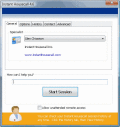
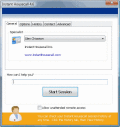
Instant Housecall Free Edition lets you temporarily view and control your friend's computer and offer remote assistance. No router/firewall configuration, secure, and lets you transfer files and chat in real-time. Business Edition is also available.
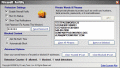
Protect your private web data such as passwords, banking info, or credit card numbers from being stolen or sent from your computer without your permission. Automatically be alerted when possible sensitive info could be compromised from your PC.
Award AutoUpdate is a comprehensive updating solution for Windows software applications. Using Award AutoUpdate, you can easily enable your applications to discover, download, and apply updates automatically. Award AutoUpdate handles all of...
Instant Housecall is a fast, easy remote access program that lets you offer remote support through firewalls and NAT routers. You can transfer files, view and control remote computers with ease.
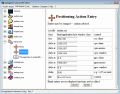
DialogDevil is five desktop/server automation tools in one, all sharing the same interface. You drag a small icon from DialogDevil to another program to automate auto-click, auto-position, auto-minimize, auto-maximize, or auto-close.
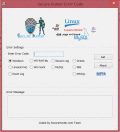
Secure Hunter Error Code Secure Hunter Error Code lookup tool helps solve the mystery of Operating System error message codes, Simply enter the code number, Select the Operating System and Error Message will display its description.
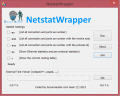
NetstatWrapper is a small windows GUI tool that can be use to run netstat command using UI with this small tool you can run some of the netstat command line tool and see the result in Notepad.
 HandyArchive