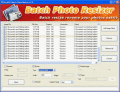
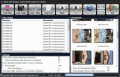
1. Brief interface and easy understandable steps for batch convert images. 2. Resize image dimension batchly3. Integrated with Windows Explorer context menu, the most convenien
Photo Converter is the best image converter with batch conversion. It empowers you to compress photos, rename pictures, rotate images and add watermark in batch process. The instant preview for the applied effects help you find the optimal results.
Повернуть или отразить видео одним нажатием клавиши мыши с помощью специальной программы. Стандартные настройки. Поддержка многих видеоформатов. Программа не содержит в себе шпионских порграмм и рекламы. Она бесплатна и безопасна в использовании.
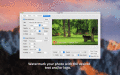
Pic2Pic enables rapid conversion of images in the batch mode. You can convert images to all popular image formats, plus apply some enhancements. Resize, rotate, adjust brightness and contrast, add watermarks and frames to multiple images in one go!
Uranium Desktop lets you automatically rotate your wallpapers in 2 easy steps: First you specify one or more folders where your wallpapers are located. Second, you set the time interval, ranging from every few minutes to every month.
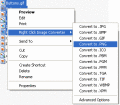
Convert between image formats from the Windows shell. Supports JPG, BMP, PNG, GIF, ICON, and several other
file formats. Also can rotate/resize images. Right click on a file or a group of files in Windows, and select Convert
to. As simple as that.
 HandyArchive