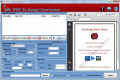
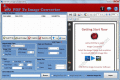
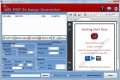
iFunia PDF2Image for Mac is the professional PDF to image converter for Mac users to convert PDF files into high-quality JPG, GIF, PNG, TIFF or BMP image formats perfect for the web or for use in most Mac applications.
PDF to Image Converter single image with several multiframe image document pages. PDF into images also creates PDF pages into BMP, PDF document into JPEG, PDF files into PNG, PDF into GIF. PDF2Image instantly change PDF files into all image formats.
Convert Adobe PDF to Image Software converter tool create image from PDF file. Conversion of PDF into Image utility can solve generation of different image format from a sigle or multiple PDF file, like PDF to JPg, PDF to multiframe TIFF, PDF to BMP.
Some PDF Image Extract is a easily tool to extract images from pdf files. Some PDF Image Extract can easy help you to extract images in pdf files to TIFF, JPEG, BMP, GIF, PNG, TGA, PBM, PPM.
PDFtoImage Converter is an good software solution for people that allows you to convert PDF file to image as JPG formats. Besides, it also enables you to select several PDF files and extract images from them and export the resulting content.
EbookWritingSoftware.com's PDF to Image Converter is an excellent and fastest converter to convert any number of PDF files to images files in specific format with extreme accuracy and consistency. formats supported TIFF, GIF, PNG, BMP, WMF, EMF etc.
Convert PDF to Picture creator converter software convert PDF into picture images photo snaps with different shape, size, resolution and angle. Create images from PDF software is wonderful tool for conversion of PDF documents in multi-frame images.
PDF To TIFF Converter is simplified and workable software converts PDF files into TIFF images with varied image and page range settings and formatting. PDF To TIFF Converter allow you to convert PDf To JPG, TIFF, PNG, GIF, BMP etc.
Batch convert PDF to any type of image like jpeg,jpg,bmp,tif,gif,wmf,emf,tga,png,rle,jp2,j2k,pcx etc. It can preserve original layout, text, images, vector drawings of your pdf file.
 HandyArchive