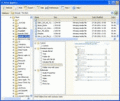
Folder Guide is the fastest way that allows you quick jump to your frequently used folders in the Windows Explorer, in standard Open/Save as/Browse dialogs, the desktop and the Start Button.
Add Items to Windows Explorer context menu - fast and easy ? Then you need Windows Explorer Context Menu. This .Net component will add all your custom items to Windows Explorer Shell context menu - automatically. All is supported (C#, VB.Net, C++)
No more hard work for printing directory structures anymore. Print Directory will print file list or directory listing about all your files in different folders and directories.
How to add items to Windows Explorer shell context menu? Add items to Windows Explorer shell context menu with Windows Explorer Shell Context Menu Component (C#, VB.NET, .NET - all is supported). Free download at ContextMenu.org !
Add items to Windows Explorer Shell context menu - easily with the development component. Add item to Windows Explorer context menu with the .NET component, ActiveX component and C#/C++/VB component. Add items to menu - Download at Context-Menu.net !
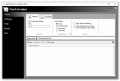
Manage Folder Now allows you to hide folder or quick jump your folders.You can keep your personal data away from others.Launch of it is password protected.It is also a fastest way to access your frequently used folders in the context menu.
Распечатайте дерево файлов в удобной для вас форме. Узнайте, какие папки и файлы хранятся на вашем диске. PrintMaestro предлагает большой выбор шаблонов печати: простого дерева файлов, списка папок с размерами, развернутое дерево с поддиректориями.
The Object Contextualization Model extends the Object Oriented Paradigm by appending context to objects. This helps the compiler to detect and decline wrong assignments, and removes the limitation of one function overload per prototype per namespace.
Providing easy, one-click folder creation from a file and moving that file into its new folder. Need to do the opposite and rapidly move multiple files out of their folders into the current folder? FileToFolder will do that too.
 HandyArchive