Capture screenshots with your mouse or keyboard. Use the full screen or highlight a selection. Save, share or print. Choose to execute every function automatically.
Magic Screenshot позволяет легко и быстро сделать скриншот экрана с публикацией его в интернет. Также Вы можете опубликовать готовую фотографию или графический файл несколькими нажатиями клавиш мыши.
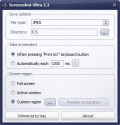
Screenshot Ultra is a free application that will help you to capture and save the content of your screen. Once you choose your image type and destination you are able to take screenshots manually or set it to automatic mode.
How to take a screenshot or record screencast and share in one click? You don't have to use complicated programs, just run this simple application to capture a screen picture or even video with single click and share it with friends. Simple as 1-2-3.
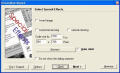
Capture screenshots with your mouse or keyboard. Use the full screen or highlight a selection. Annotate, save, share, print and send by email. Use results in Word, Excel, Powerpoint and others. Runs on any company computer.
Capture Screen Studio - print screen capture and make screenshot easy and fast.CSS is designed for any Windows user who needs an effortless, effective way to work with "screenshot" of Windows screens. Also it has built-in flexible image browser.
Screenshot Uploader is a small application that allows you to take screenshots and quickly upload them to the internet. You can capture part of screen and add quick note with pencil tool. No storage limit.
This is a nice Windows and Linux screenshot tool for make, edit, share and exchange screenshots between people via the internet. Save a screenshot or a part of the screen to a file within a second. Apply text and shapes to the screenshot. Offers capt
 HandyArchive