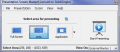
Using Presentation Screen Master is a great way to do the private works in one computer (your laptop, for example), while your audience views part of the screen on a different monitor (projected on a larger screen, for example).
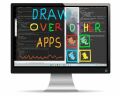
Draw over other apps in windows. You can annotate, draw, write, mark, capture on your desktop during run-time. Suitable for education, business, personal uses.
All and only the tools you need. Easy interaction with the screen capture and annotation studio from the same bundle. Here's a scenario: capture a screenshot and edit/annotate it right away. Interesting ?
i Screen Recorder is a powerful, yet full-featured screen record tool that allows you to easily capture and annotate anything on the screen including windows, objects, menus, full screen, rectangular/freehand regions
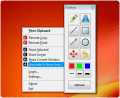
SPX captures an image from your monitor(s) - ready for two or more monitors! Send it directly to clipboard, file, e-mail, ftp, printer or another program. Better yet, send if first to SPX Annotation Editor to "show and tell" and explain your work.
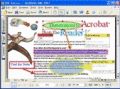
Annotate PDF (PDF Editor) software for viewing, edit, manipulating and printing PDF files, PDF Editor can edit PDF files easily, you can write annotations, comments, add text, change text or delete words completely, free download.
The most popular screen capture, video screen recording and image editing utility for Windows, with more than 9 million downloads. Capture anything you see on your computer screen - images and text.Easily record activity on your computer screen.
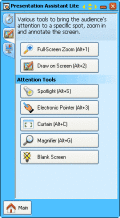
Presentation Assistant Lite is a cute tool which helps in screen presentation, education, demonstration, explaining, and internal meeting at work or if you just need to explain someone something on your computer.
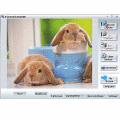
CaptureIt is a powerful, flexible and easy-to-use screen capture software. It allows you to capture anything on the screen including windows, objects, full screen, rectangle-selected regions, fix size regions, and scrolling windows/web pages.
 HandyArchive