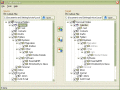
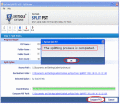
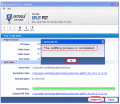
If you are too annoyed with the bulky PST files and want to have a permanent solution for it then go for SysTools Split PST tool which synchronize PST files on your behalf without losing any data. Split PST is 100% secure and trustable.
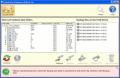
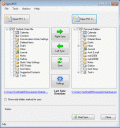
EZOutlookSync Portable allows you to use your USB flash drive to synchronize MS Outlook files on different computers, make backups of existing Outlook data files, and restore the backup data from the flash drive in several mouse clicks.
Outlook Sync Backup will sync Outlook with your USB device. The tool lets you sync MS Outlook default calendar and contacts with another machine - desktop or laptop. Synchronize and share Outlook folders on multiple PCs without LAN.
With SysTools Spit PST software get solution for how to synchronize PST files. Once you synchronize your PST files it lessens the fear of Outlook crash & lets you enjoy your work with flow without any disturbance.
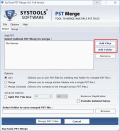
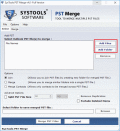
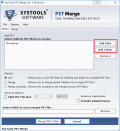
PST Contact management is necessary to avoid Struggling with large collection of MS Outlook PST files. The leading tool-PST Merge collects all the PST contacts or if needed all the information of Outlook into a centralize file for easy maintenance.
EZOutlookSync Pro позволяет быстро и безошибочно синхронизировать данные MS Outlook с другими компьютерами как по сети, так и локально. Обеспечивает удобную миграцию Outlook-данных. Поддерживается синхронизация с MS Exchange Server.
Download PST merge software to combine outlook personal folders quickly. With the help of software users can combine multiple Outlook PST files into single file with every MS outlook edition like old and new.
In order to sync multiple PST Files try out PST merge tool. The product simply merges entire PST files to synchronize multiple PST files into single PST without any data alteration. Apart from this provide flexible options to merge PST files.
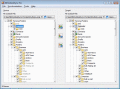
Share and synchronize Microsoft Outlook Personal folders (calendar, contacts, journal, mail, tasks and notes) on multiple PCs without a server. Sync Outlook .pst data file between multiple PCs using USB device or shared network folder (LAN).
 HandyArchive