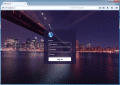
Try now our free web RDP client. Enjoy full remote desktop access to your Windows programs, documents, files, and network resources. You can use any browser, it works from PC, iPhone, iPad, ChromeBooks and Android devices.
RDS Tools Reporting & Monitoring for RDP gives you facts and data about your server usage (CPU, Memory, I/O, Disks), applications usage and users on Remote Desktop Services.
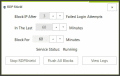
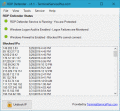
If your Windows server is publicly available on Internet, then there is a 100% probability that hackers, network scanners and brute force robots are trying to guess your Administator login and password - as we speak.
RDS-WebAccess is using HTML5 to open Remote Desktop with any web browser. Its high performance HTML5 RDP Client is providing browser based access to Windows Remote Desk (virtual & physical), running on Windows Terminal Services (RDS).
ThinVNC Access Point enables secure HTML5 Remote Desktop Access to any PC on the LAN, through a single public IP address. ThinVNC Access Point is both a HTML5-to-RDP gateway and a ThinVNC bridge, enabling access to any PC running any RDP server.
Record SSL / RDP - ObserveIT Xpress - Like a security camera on your servers, ObserveIT enables Record and Replay of all user sessions including Terminal, Remote Desktop, Citrix, VMWare, VNC, NetOP and PC Anywhere.
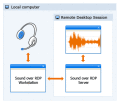
Sound over RDP enables remote sound from the local machine to the remote computer. With the help of it, you can access and share data of a sound input device plugged into the local machine while working in remote Windows session.
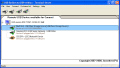
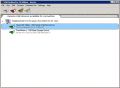
USB Redirector TS Edition allows redirecting USB devices to Terminal Server with multiple users.The unique technology of USB device isolation in RDP session allows to use USB devices inside your RDP session only!It will not be available for others!
 HandyArchive